
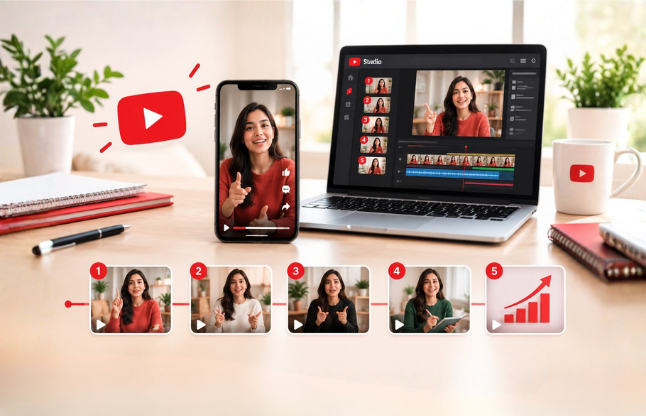
YouTube Shorts Series: How to Plan Episodes and Grow Subscribers
On September 23, 2026, YouTube launched Shorts series, a tool that lets creators organize Shorts into seasons and episodes. Viewers get custom thumbnails and a button that plays the next episode in order. For channels that already publish Shorts, this turns a pile of separate clips into something people can follow.
This guide explains what YouTube confirmed, how to set up a series in YouTube Studio, how to plan one with a copy-ready template, and how to measure whether it grows subscribers. We checked it against YouTube’s announcement and independent coverage on October 27, 2026. If you are still deciding how Shorts fit with longer videos, read our Shorts vs long-form comparison first.
Key takeaways • A Shorts series groups Shorts into seasons and episodes, with custom thumbnails and sequential playback, across web, mobile and TV. • Each episode must be vertical or square and up to 180 seconds, and a series can contain only Shorts. • Reports differ on who can use it: some say Partner Program creators only, others say any Shorts creator. Check YouTube Studio on desktop. • We found no published subscriber or reach data for series, so measure your own results instead of assuming them. • YouTube’s October 1, 2026 update favors original Shorts, so build a series from your own scripts and footage. |
What is a YouTube Shorts series?
Quick answer: A YouTube Shorts series is a group of Shorts organized into seasons and numbered episodes. Viewers who find one episode see a watch series button that opens the episodes in order. Creators can add a custom thumbnail to each episode. YouTube announced it on September 23, 2026, across web, mobile and TV. |
The feature builds on Creator Shows, which YouTube introduced last year for organizing videos into viewing experiences designed for TV, according to TechCrunch. YouTube says the push is driven by microdramas, which passed 6.5 billion views on YouTube in the first half of 2026, with watch time up more than 50% year over year. Microdrama views on TV rose more than 90% over the same period.
You do not need to make microdramas to use it. Exemplary AI points out that tutorials, interview highlights and multi-part stories all work. In practice, a series suits any content where one Short naturally leads to the next.
According to Exemplary’s summary of YouTube’s help pages, a series appears as one thumbnail on your channel, so it does not fill your Shorts grid. It can also appear in the Shows tab, on TV in the Playlists shelf, and in YouTube’s recommendations for shows.
Who can use Shorts series, and is it available yet?
Quick answer: YouTube says Shorts series is rolling out to creators across web, mobile and TV, and rollouts reach channels gradually. Sources disagree on eligibility: TechCrunch and TubeBuddy say Partner Program creators, Business Insider says any Shorts creator. The reliable test is whether Create, then New show appears in YouTube Studio on desktop. |
If you do not see the option yet, check again in a few days and make sure you are using Studio on a computer. Do not rebuild your content plan around a feature your channel cannot use. You can still plan the season now and publish the episodes as normal Shorts, then group them when the option appears.
How do you set up a Shorts series in YouTube Studio?
Quick answer: Open YouTube Studio on desktop, click Create, then New show, and set the show details. Add your Shorts under Content, then Shows, and give each a season number. A playlist that contains only Shorts can also become a series through Add show features. Then set the episode order and upload a thumbnail for each episode. |
The steps below follow YouTube’s help pages as summarised by Exemplary AI and TubeBuddy. Menu names may differ slightly on your channel.
- Open YouTube Studio on a computer.Show setup and thumbnail uploads are documented for desktop.
- Create the show.Click Create, then New show, fill in the details and choose serial if the episodes must be watched in order.
- Or start from a playlist.If you already have a playlist of Shorts, go to Content, then Playlists, open Options and choose Add show features. Our guide to YouTube playlists for channel growth covers how to organise one well.
- Add the Shorts and set a season number.Go to Content, then Shows, then Add content. YouTube requires a season number when you add videos.
- Check the episode order.Under Content, then Shows, open Episodes and edit any number. Changing one number renumbers the rest. By default, episodes follow publish date unless you set a manual order.
- Upload a custom thumbnail for each episode.Keep the same layout and add the episode number. Our guide to YouTube thumbnail design explains what makes a thumbnail get clicked.
- Feature the series on your channel.Go to Customization, then the Home tab, add a Single playlist section and pick the show’s playlist.
Rule | What YouTube requires |
Content | Shorts only. You cannot mix long videos into a Shorts series. |
Format | Vertical or square |
Length | Up to 180 seconds per episode |
Season number | Required when you add videos to the show |
Episode numbers | Assigned by publish date, or by your manual order |
Thumbnails | A custom thumbnail can be set for each episode |
Show type | Serial (oldest first) or non-serial (any order, newest first) |
Source: YouTube Help, as summarised by Exemplary AI on September 29, 2026. We could not open YouTube’s help pages directly in our crawl, so confirm each rule in YouTube Studio before relying on it.
Should you choose a serial or non-serial series?
Quick answer: Choose serial when viewers must watch episodes in order, such as a story or a step-by-step course. Choose non-serial when each episode works alone and newer episodes should lead. Serial lists oldest first, non-serial lists newest first. TubeBuddy notes non-serial is the default, so check the setting before you publish. |
Question to ask | If yes | If no |
Does episode 3 make sense without episodes 1 and 2? | Non-serial | Serial |
Do you teach a skill step by step? | Serial | Non-serial |
Is this a story with a beginning and an end? | Serial | Non-serial |
Is it a recurring format, such as weekly tips? | Non-serial | Serial |
How do you plan a Shorts series people keep watching?
Quick answer: Start with one clear promise for the whole season, split it into three to six episodes, and give each episode one job. Episode one must hook a stranger, middle episodes each deliver one idea, and every episode except the last should end by pointing to the next. Write the whole season before you film. |
Write the season promise in one sentence.For example, “In six Shorts, a small business owner learns to plan a month of videos.” If you cannot say it in one sentence, the season is too broad. Pick a topic that will still be useful in a few months; our note on evergreen versus trending content can help.
- Choose three to six episodes.YouTube gives no recommended number. This is our suggestion for a first season, long enough to build interest and short enough to finish.
- Give each episode one job.One idea per episode, nothing else.
- Make episode one stand alone.Exemplary AI advises opening with the most surprising point, not an introduction.
- End every episode except the last on the next question.This gives the watch series button a reason to be tapped.
- Design the thumbnails as a set.Same layout and show name, with a different episode number and image.
- Film in a batch, then publish on a fixed rhythm.Our consistency guide explains why a schedule you can keep beats bursts of activity, and our free content calendar template can hold the dates.
Which content suits a series? Tutorials in steps, a product or service explained in parts, behind-the-scenes builds, client or case-study stories told in chapters, and Q&A seasons where each episode answers one question. A random collection of unrelated Shorts does not.
Worked example: a six-episode season
This is an illustrative plan for a small-business channel, not real performance data.
Ep. | Working title | Opening line | One idea | Ends with | Sec. |
1 | Why small channels stall | “Your next ten videos will not fix this.” | One-sentence channel promise | Teases the 3-second hook test | 45 |
2 | The 3-second hook test | “Watch what happens in the first three seconds.” | Open with the result | Teases the thumbnail set | 50 |
3 | Thumbnails that look like a set | “Viewers should know it is yours before reading.” | Same layout, new episode number | Teases batch filming | 40 |
4 | Film a week in one hour | “One hour. Seven Shorts.” | Batch filming routine | Teases the posting rhythm | 55 |
5 | A posting rhythm you can keep | “Daily is not the goal. Steady is.” | Pick a schedule and protect it | Teases reading your numbers | 45 |
6 | Read your numbers after week four | “Here are the only three numbers I check.” | Engaged views, episode 2 drop, subscribers gained | Invites viewers to start their own season | 60 |
Blank planning template
Copy these columns into a spreadsheet and fill one row per episode before you film anything.
Ep. | Working title | Opening line (first 3 seconds) | One idea | Ends with | Length (sec) | Publish date |
1 | ||||||
2 | ||||||
3 | ||||||
4 | ||||||
5 | ||||||
6 |
To compare different cuts or opening lines, note that TechCrunch lists expanded video A/B testing among the Made On YouTube announcements. It did not specify whether this applies to Shorts, so check your Studio before planning around it.
Does a Shorts series help you grow subscribers?
Quick answer: We found no published subscriber data for Shorts series, so no one can promise a lift. The logic is straightforward: a series gives viewers a reason to follow you for the next episode, and the watch series button keeps them in your content longer. Treat subscriber growth as something to measure, not assume. |
Make episode one your strongest.It is the one strangers will see first.
- Tell viewers what comes next, and invite them to subscribe so they do not miss it.This is our suggestion, and it works because the reason is specific.
- Keep the topic tight.Viewers who subscribe after episode one should get more of the same, which is the audience-match problem we explain in our Shorts vs long-form guide.
- Point to a long video in the last episode.A series cannot contain long videos, but you can mention one and link it in the description.
- Do not rely on one tactic.Our broader guide on getting more YouTube subscribers covers channel-level steps.
What does the October 2026 originality update mean for a series?
Quick answer: YouTube said on October 1, 2026 that it is updating Shorts recommendations to prioritize original content and reduce the reach of videos re-uploaded without anything added. A series built from your own scripts and footage fits that direction. A series made from other creators’ clips with light edits is the riskiest approach. |
According to Dexerto’s report on the announcement, YouTube said creators should bring their own voice instead of making minor technical or template-based edits, and that clips from others need real added value such as original commentary or storytelling. The report also notes that YouTube has not given a rollout date or a clear threshold for how much original input is enough. The YouTube Help Community post itself could not be loaded in full when we checked, so we are relying on that report and on AITuber’s reading.
For a series, that points to a simple rule: write each episode yourself and make sure each one is clearly different from the last. Repeating one template with a single word changed risks looking like the bulk, template-based content YouTube described. Meta also committed to favoring original content in March 2026, according to Sprout Social, which we cover in our Facebook Your Algorithm guide.
How do you measure whether a Shorts series is working?
Quick answer: Compare engaged views, not just views, across episodes, and watch the drop between episode one and episode two. Then check subscribers gained per episode and total series views over a few weeks. Engaged views count viewers who kept watching, so they show whether the series holds attention. |
Metric | Where to look | What it tells you |
Views vs engaged views | YouTube Analytics, per episode | Whether people stay after the Short starts or replays |
Episode 1 to episode 2 ratio | Views per episode, side by side | Whether the ending of episode 1 makes people continue |
Subscribers gained per episode | YouTube Analytics, per episode | Which episode converts viewers into followers |
Average view duration | YouTube Analytics, per episode | Whether an episode is too long or loses people early |
Clicks from descriptions | A tagged link in the description | Whether the series sends viewers to your site |
For descriptions, tag your links so you can see them in analytics. Our UTM tracking guide shows how, and our ROI guide explains how to connect results to goals. Record your numbers for the last ten Shorts before launching, so you have a baseline.
What does a 30-day launch plan look like?
Quick answer: Use week one to choose the promise and map the episodes, week two to film in a batch, week three to publish the first episodes and create the show, and week four to publish the rest and review the numbers. Keep the schedule modest so you finish the season. |
Week | Focus | Output |
1 | Concept and map | One-sentence season promise; filled planning template; serial or non-serial decision |
2 | Film and design | All episodes filmed in a batch; set of thumbnails with episode numbers |
3 | Publish and build | Episodes 1 to 3 live; show created in Studio; season numbers and order checked |
4 | Finish and review | Remaining episodes published; engaged views, episode 2 drop and subscribers gained recorded |
What mistakes should you avoid?
- Starting without a plan.A poorly planned series loses viewers at episode two, which can be worse than posting standalone Shorts.
- Mixing topics.A series only works if the Shorts belong together.
- Skipping the check on order.Episodes follow publish date unless you set an order, so a late upload can land in the wrong place.
- Over-long episodes.The limit is 180 seconds, but shorter is usually easier to finish.
- Recycling other creators’ clips.This is exactly what YouTube said it wants to reduce.
Expecting guaranteed results. The feature is new and we found no published performance data. Test one season, then decide.
The bottom line
Shorts series gives creators a way to turn separate clips into something worth following, and YouTube is backing episodic Shorts with TV placement and sequential playback. The sensible approach is to test one short season with a clear promise, original content and a measured baseline, rather than rebuilding your whole channel around a new feature.
For the bigger picture, read our guides on Shorts versus long-form growth and how Reels, Shorts and TikTok algorithms compare. If you want to monetize later, see our YouTube monetization guide. Questions about your channel? Contact our team.
Sources and how we checked
- YouTube Blog, “Connect with creators on the biggest screen with YouTube’s latest features” (September 23, 2026): youtube
- TechCrunch, “YouTube’s new ‘Shorts series’ feature brings episodic viewing to Shorts” (September 23, 2026): com
- Business Insider, “YouTube is jumping into micro dramas” (September 23, 2026): com
- MediaPost, “YouTube Rolls Out Feature To Encourage Episodic Content” (September 23, 2026): com
- Exemplary AI, “YouTube Shorts Series: Turn One Long Video Into Episodes” (September 29, 2026): ai
- TubeBuddy, “How to turn a YouTube playlist into a Show” (September 29, 2026): com
- Dexerto, “YouTube cracks down on clipping channels in Shorts update” (October 5, 2026): com
- AITuber, “YouTube Shorts Originality Update: Who Loses Reach” (October 3, 2026): app
Frequently Asked Questions (FAQs)
What is a YouTube Shorts series?
A YouTube Shorts series groups your Shorts into seasons and episodes, with custom thumbnails and a watch series button that plays episodes in order. YouTube announced it on September 23, 2026, and it is rolling out across web, mobile and TV. It works for stories, tutorials and any content told in parts.
When did YouTube launch Shorts series?
YouTube announced Shorts series on September 23, 2026, at its Made On YouTube event, and said it was rolling out to creators from that day. Rollouts reach channels gradually, so the option may not appear in your YouTube Studio straight away even if others already have it.
Who can create a Shorts series?
Reports differ. TechCrunch and TubeBuddy say the rollout is to YouTube Partner Program creators, while Business Insider describes the tool as available to any Shorts creator. YouTube’s help page lists no requirement, according to Exemplary. Check YouTube Studio on desktop for Create, then New show.
How long can each episode be?
Each episode can run up to 180 seconds, the same three-minute limit as any Short, and must be vertical or square. Most creators still aim for far less. Shorter episodes are easier to finish, so use the extra time only when a single idea truly needs it.
What is the difference between serial and non-serial shows?
A serial show lists episodes from oldest to newest and suits stories or lessons that must be watched in order. A non-serial show lets viewers start anywhere and lists the newest first. TubeBuddy notes non-serial is the default, so check the setting before publishing.
Can I turn my existing Shorts into a series?
Yes. Put the Shorts in a playlist, then in YouTube Studio open Content, then Playlists, and choose Add show features. All videos go into Season 1, in your manual order or by publish date. Make sure the episodes actually connect, or the series will feel random.
Does a Shorts series earn differently from regular Shorts?
YouTube has not announced separate Shorts series earning rules. Business Insider reports that a YouTube product director said studios can put later episodes behind channel memberships, and in-feed ads share revenue with creators. Eligibility for any of these depends on your channel, so check YouTube Studio.
Does the October 2026 originality update affect a series?
YouTube said on October 1, 2026 that Shorts recommendations will favor original content and reduce the reach of re-uploads that add nothing new. A series built from your own scripts and footage fits that direction. A series made of other creators’ clips with light edits is the riskiest approach.
How many episodes should a season have?
YouTube has not published a recommended number. Our suggestion is three to six episodes for a first season, because it is long enough to build interest and short enough to finish on schedule. A partial season that ends well beats a long one that fades after episode four.
- No Comments
- October 27, 2026