
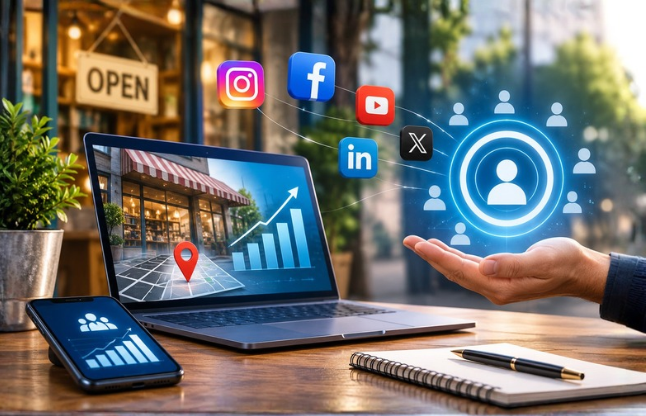
Social Media Marketing for Local Businesses: Reach the Right Audience in 2026
If you run a restaurant, salon, gym, shop or service business, your best customers live a short distance from your door. Social media can reach them, but only if your posts feel like they come from your neighbourhood and not from a national brand. This guide shows how to choose platforms, write posts that feel local, work with nearby businesses, turn comments and messages into enquiries, and measure calls, directions, profile visits and website traffic.
The numbers come from published 2026 surveys by SOCi and BrightLocal, plus Google’s and Instagram’s own metric definitions. We checked the sources on November 13, 2026. If you are starting an account from scratch, begin with our guide to building a social media presence for a new business and come back here for the local layer.
Key takeaways • In SOCi’s 2026 survey of more than 1,000 U.S. consumers, 55% used social media to find a local business in the last 30 days and 59% said a social post or video made them a customer. • Most people use several channels before choosing: 75% in BrightLocal’s survey, so your name, address, phone and hours must match everywhere. • Start with Google Business Profile, then add one or two social platforms. Facebook, YouTube and Instagram lead for local discovery on social. • Local content works when each post has one local detail, one useful fact and one clear next step. • Measure actions near the sale (enquiries, calls, directions, profile taps, tagged website visits) instead of follower counts. |
Why Local Businesses Need a Social Media Strategy
Quick answer: Local customers now check social media before they visit. In SOCi’s 2026 survey of more than 1,000 U.S. consumers, 55% used social media to find a local business in the last 30 days, 43% previewed a place on social before visiting, and 59% said a post or video made them a customer. A strategy makes those moments count. |
Social media is one stop in a longer journey. BrightLocal’s 2026 survey of 1,227 U.S. consumers found that 75% used more than one channel in their latest local search. Google Search or Maps was the starting point for 61%, and about two in five people who began on social media went back to Google before deciding. Almost three in four (73%) started on a phone.
People also check before they act. SOCi found 99% of consumers read reviews before a first visit at least some of the time, 72% prefer businesses that respond to reviews, and 63% have walked away from a business that could not answer a question they needed answered. A local strategy therefore has two jobs: be easy to find and be easy to verify.
A note on the data. These are U.S. surveys run by companies that sell local marketing or local SEO tools, so treat them as direction. Habits differ by country and by trade, so compare them with what your own customers tell you.
How to Choose Platforms for a Local Audience
Quick answer: Start with a complete Google Business Profile, then add one or two social platforms where your customers already look. In SOCi’s data, Facebook (73%), YouTube (69%) and Instagram (67%) lead among consumers who use social media to find local businesses, with TikTok at 50%. Choose by business type and customer age, not by what is trending. |
Platform | Used by social searchers for local businesses (SOCi, 2026) | Good fit for |
73% | Events, community groups, reviews and recommendations, mixed-age audiences | |
YouTube | 69% | Showing the place or service in action: tours, how-tos, before-and-after |
67% | Visual businesses such as food, salons, retail and fitness; Reels and Stories | |
59% | Inspiration-led categories such as home, weddings and beauty | |
TikTok | 50% | Short, personality-led video, especially for younger customers |
Source: SOCi 2026 Local Discovery Index (August 26, 2026), survey of 1,000+ U.S. consumers. The “good fit” column is our judgment, not SOCi’s.
Two or three channels done well beat six done badly. Our guide to identifying your target audience helps you decide where your customers are, and our Facebook brand guide covers the Facebook basics. Because 73% of local searches start on a phone, make sure your bio has a tappable phone number, map link and booking or message button.
Local Content Ideas for Different Industries
Quick answer: Local content shows real people, places and offers in your area. SOCi’s report advises prioritizing store-level content, such as real photos, staff, offers and community moments, over generic brand posts. Build each post around one local detail, one useful fact and one clear next step for the viewer. |
Business | Three post ideas |
Restaurant or café | Today’s special in a 30-second Reel; a menu item with price and opening hours; where an ingredient comes from, tagging the local supplier |
Salon or barber | Before-and-after with client permission; a stylist answering “how often should I trim?”; this week’s open appointment slots in Stories |
Gym or studio | A 30-second class preview; “what to expect on your first visit”; a member story with permission |
Local retailer | New arrivals with prices; owner’s picks for a local event or season; a spotlight on a local maker you stock |
Service provider (plumber, tutor, clinic, cleaner) | A common customer question answered in 45 seconds; a job showcase naming the neighbourhood, not the exact address; a seasonal checklist for your area |
Write location-relevant captions
Name your neighbourhood, city or a well-known landmark, and include hours and one detail locals will recognize. For example: “Fresh out of the oven at 7 a.m. for everyone heading to the Saturday market. We are open until 2.” (an illustrative caption). Do not post customers’ home addresses. Our guides to captions and bios across platforms cover the writing.
Answer customer questions in public
Collect the questions you hear in messages, comments and phone calls. Turn the top five into short videos or carousels, use a Stories question box to collect new ones, and save the answers in Highlights. This addresses SOCi’s finding that many customers leave when a question goes unanswered.
Show behind-the-scenes moments
Introduce staff, show how something is made, and walk through a normal day. SOCi found 42% of consumers follow local brands to preview the place, so real footage often beats polished ads.
Promote community events
Post before the event (date, place, how to join), during it (Stories) and afterwards (thanks and photos). Tag organizers and partners. Local fairs, school fundraisers and charity days give you a reason to post that is also relevant to people nearby.
Use customer testimonials
Ask for permission, then share a short review or photo with the customer’s first name and neighbourhood. Reply to reviews too: 72% of consumers in SOCi’s survey prefer businesses that respond. Our guide to social proof explains how to collect and present it honestly.
End every post with one clear call to action
Choose one: call, book, message us, get directions or visit this week. Make the action match the business, such as “Book your table” for a café or “Send us a photo of the problem” for a repair service. See our guide to the importance of a CTA.
How to Collaborate with Nearby Businesses
Quick answer: Pair up with businesses that serve the same neighbours without competing with you, such as a café with a bookshop or a gym with a juice bar. Agree one joint offer, the dates, who posts what, and how you will measure it. Use tagged posts, Instagram’s Collab feature or a shared event to reach each other’s followers. |
- Choose a complementary partner.Look for a business whose customers would also like yours, within the same street, market or neighbourhood.
- Create one simple joint offer.For example, show a partner’s post for a free add-on, or bundle a service with theirs for a set week.
- Agree who posts what and when.Each business posts at least twice: once to announce and once during the offer. Tag each other in the post and caption.
- Decide how to measure it.Use a unique code or a tagged link, and ask customers who mention the offer where they saw it.
- Follow platform rules and disclose.If giveaways, gifted products or paid creators are involved, follow each platform’s rules and local advertising law, and label sponsored content.
- Review and thank each other.Share results, post a thank-you and decide whether to repeat.
You can also work with local creators, such as neighbourhood food or fitness accounts. Ask for honest content and set clear expectations. Our guides to collaborating for social media success and micro-communities offer more ideas.
How to Turn Engagement into Enquiries
Quick answer: Make it easy to act and quick to get an answer. Add a tappable call, message or booking option to your bio, include one call to action per post, reply fast, and keep your name, address, phone and hours identical on every profile. SOCi found 63% of consumers have walked away when a business could not answer a question. |
- Set up your business profile properly.Add contact buttons, your address and opening hours. Our Instagram business account setup guide walks through it.
- Reply quickly and keep answers ready.Write short replies for the questions you get most, such as prices, hours and booking.
- Use Stories and Highlights as a mini FAQ.Keep menu, prices, location, opening hours and reviews in Highlights so people can verify without messaging you.
- Offer a clear next step.Instead of “DM us”, say “Message us your date and we will confirm a time”, or share a booking link and a map pin.
- Keep your details consistent.SOCi found 81% of consumers check something before contacting a business after an AI recommendation, and BrightLocal found most people use several channels. Mismatched details lose trust.
- Ask for reviews and answer them.Ask happy customers after the visit and reply to every review, good or bad.
- Use location settings on any ads.If you boost posts or run ads, set a radius around your business so the spend reaches people who can visit.
Sample Content Calendar for a Local Business
Quick answer: A realistic week for a small business is four to seven short posts across one or two platforms, each with one local angle and one call to action. The example below is for a neighbourhood café. Swap the topics for your industry and keep the pattern: show, answer, prove, invite, repeat. |
Day | Platform and format | Post | Local angle | Call to action |
Mon | Instagram Reel | Behind the scenes: baking the morning batch | Tag the local supplier | Come in before 10 |
Tue | Facebook post | Weekly special with hours | Mention the nearby market or offices | Call to pre-order |
Wed | Instagram Story with question box | “Ask the owner” about coffee beans | Questions from regulars | Send your question |
Thu | Facebook event or post | Community event, such as a school fundraiser | Tag the organizer | RSVP here |
Fri | Instagram carousel | Customer testimonial with permission | First name and neighbourhood | Book a table |
Sat | Reel | Joint offer with the nearby bookshop | Tag the partner | Show this post for the offer |
Sun | Story | Next week’s hours and directions pin | Landmark nearby | Get directions |
This is an illustrative plan, not tested results. For a monthly rhythm, use week one to introduce the business, week two for a collaboration, week three for proof such as testimonials, and week four for a community event. Our free content calendar template can hold the dates.
Metrics Local Businesses Should Track
Quick answer: Track actions that happen close to a sale: enquiries, calls, direction requests, profile taps and tagged website visits. Add reach, saves and reviews as supporting signals. Record a baseline first, then compare month to month using the same definitions, because most customers check several channels before they choose. |
Metric | Where to find it | What it tells you |
Enquiries | Your own log of messages, calls, forms and bookings, with the channel noted; ask “How did you hear about us?” | Real demand from social |
Calls | Google Business Profile Performance (calls); Instagram call button taps | People ready to talk |
Direction requests | Google Business Profile Performance (directions); Instagram business address taps | People planning a visit |
Profile visits and taps | Instagram Insights: profile visits plus taps on the bio link, call, address, email and text buttons | Whether posts make people act |
Website traffic from social | Google Analytics, with UTM-tagged links | Whether social sends visitors |
Reach, saves and shares | Instagram or Facebook Insights | Whether content travels beyond your followers |
Reviews | New reviews, average rating and share you answered | Trust signals customers check |
Google’s Business Profile performance report shows calls (taps on the call button), website clicks, directions, messages and bookings, but only for verified profiles. Instagram’s insights report taps on the bio link, call button, business address, email and text button, as documented by Funnel. Instagram now reports views instead of impressions (since April 2025), so do not compare older reports with new ones, according to FB Digital Agency.
Profile action rate is profile activity taps divided by profile visits, times 100. It shows how well your posts and profile turn curiosity into action. To track website visits, add UTM tags to every link, for example ?utm_source=instagram&utm_medium=social&utm_campaign=spring-offer. Google Analytics Help says to set source, medium and campaign, and that values are case sensitive. Our UTM tracking guide and ROI guide explain the rest.
Be realistic about attribution. Customers cross-check across channels, so social media will rarely get full credit for a sale. Use offer codes, ask how people found you, and review calls, directions and enquiries together each month.
What mistakes should local businesses avoid?
- Posting like a national brand.Local content wins on real places, people and offers.
- Chasing followers who cannot visit.People outside your area cannot walk in. If you consider a growth service, read how it works on our Instagram followers page, remember Instagram discourages artificial engagement, choose gradual delivery, and judge success by calls and visits, not follower counts.
- Being on too many platforms.Two well-run channels beat five neglected ones.
- Ignoring reviews and messages.Unanswered questions lose customers.
- Using inconsistent business details.Match your name, address, phone and hours everywhere.
- Sharing private details.Get permission for customer photos and avoid posting home addresses for service jobs.
The bottom line
Local social media works when it looks like your neighbourhood and makes the next step easy. Start with Google Business Profile, pick one or two platforms, post real local content with one call to action, collaborate with nearby businesses, and measure calls, directions, profile taps and tagged visits. The surveys show customers check several places before they choose, so consistency matters as much as creativity.
If you would like help planning a local content calendar or setting up tracking, contact our team.
Frequently Asked Questions (FAQs)
What is the best social media platform for local businesses?
There is no single best platform. In SOCi’s 2026 survey, Facebook (73%), YouTube (69%) and Instagram (67%) were the most used by consumers who find local businesses on social media. Pick one or two based on where your customers already spend time, and start with a complete Google Business Profile.
How often should a local business post on social media?
No source we reviewed gives a required number. Our suggestion is three to five posts a week across one or two platforms, plus Stories when there is something timely. A schedule you can keep for months works better than a burst of daily posting that fades after two weeks.
How do I reach people in my area on social media?
Name your neighbourhood or city in captions, add your location to posts, tag nearby partners, join local conversations, and keep your Google Business Profile accurate. Platforms do not guarantee local reach to organic posts, so if you run ads, set a location radius around your business.
What should a local business post about?
Post what helps nearby customers decide: your menu or services, real photos of the place and staff, answers to common questions, community events, customer stories and current offers. SOCi’s report advises local, store-level content such as real photos, staff and community moments over generic brand posts.
How do I know if social media is bringing in customers?
Count enquiries by channel, check calls and direction requests in Google Business Profile and Instagram Insights, track website visits with tagged links, and ask new customers how they found you. No single number tells the whole story, because most people check several channels before choosing.
Do local businesses need Google Business Profile as well as social media?
Yes. BrightLocal’s 2026 survey found 52% of U.S. consumers started their latest local search on Google Search and 9% on Google Maps, and 71% used Google Search at some point. Social media supports that journey by showing what the place or service is like.
How do I find nearby businesses to collaborate with?
Look for businesses that serve the same neighbours without competing with you, such as a café and a bookshop. Check who your customers mention, who sits in the same street or market, and who already tags local events. Start with one small joint offer and review the results together.
Are followers from other cities useful for a local business?
Rarely. People outside your service area cannot visit, call for a booking or buy in person, so they add little beyond a bigger number. Judge your social media by local actions such as calls, directions and enquiries, and be cautious about any service that adds followers without regard to location.
- No Comments
- November 17, 2026